
Accept the voucher without a new device
Your network has its own voucher and asks whether you will accept it. The smartphone, tablet, or PC you already have is all you need. Here are the three answers you need: what it costs, what you accept it with, and how billing works.
Accept it in the browser
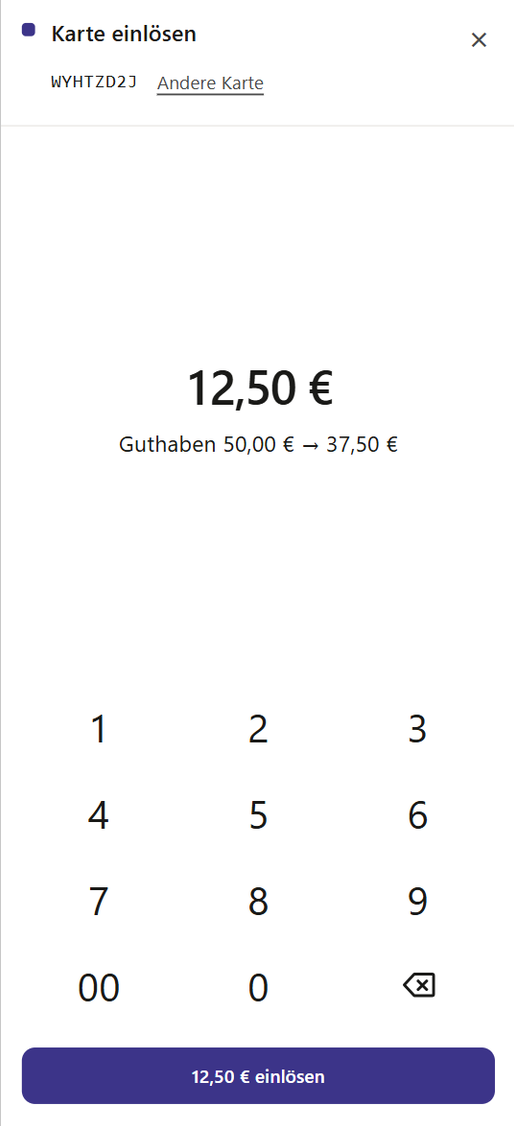
You accept the voucher in the browser, with the checkout screen in the Partner Portal. No new device, no app needed. Your network's cards and vouchers carry a QR code and a card code. You scan the QR code with the camera, or you can type in the card code.
- Redeem vouchers, including partial amounts
- Top up cards
- Check the balance
- Award and redeem points
- Cancel a transaction on the same day
Which of these functions you see on the checkout screen is turned on for your business by your network.
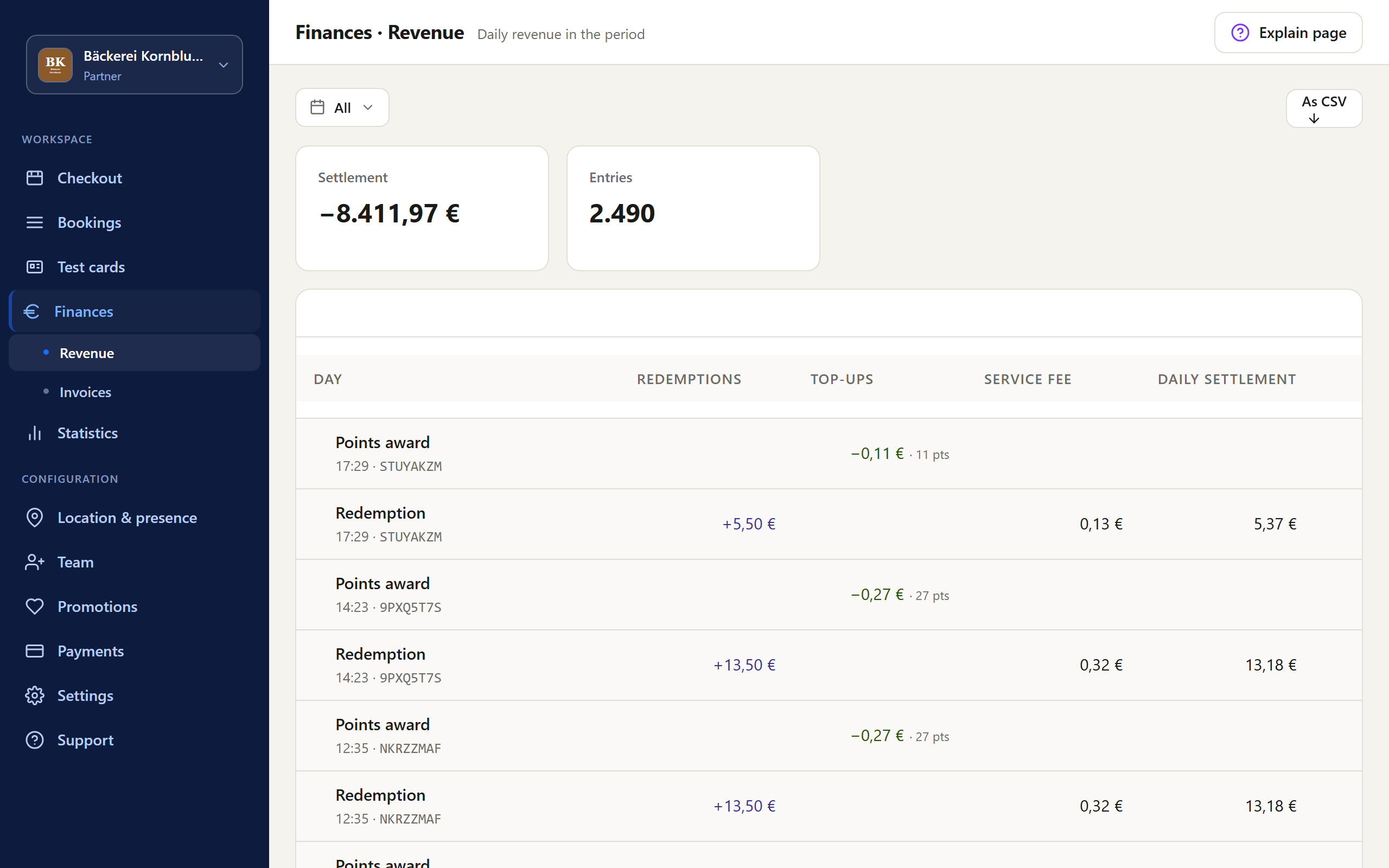
Sales and invoices in the Partner Portal
What you take in with the voucher, you see in the same portal: your sales and your invoices. The invoices are generated from the transactions, not from paper slips and lists.
How to take part
- 1
Sign up with your network
The network tells you the terms and approves your business.
- 2
Open the checkout screen
You log in to the Partner Portal, in the browser on a smartphone, tablet, or PC.
- 3
Accept the voucher
When someone pays with the network's voucher, you scan the code and deduct the amount. The rest stays on the card as a balance.
- 4
Check your sales
You see your sales and invoices in the Partner Portal.
Questions and answers
Does taking part cost me anything?
That is set by your network. Ask about the terms before you sign up.
Do I need a new device?
No. You accept the voucher in the browser, on the smartphone, tablet, or PC you already have. No app is needed.
How does billing work?
Your network starts the billing run. It turns the transactions of a period into invoices and credit notes for the businesses, with fees, VAT, and payment terms. Your network can tell you when it bills. You see your sales and invoices in the Partner Portal.
What's in it for me?
You reach customers with balance that is redeemed at the network's participating businesses: residents with their city's voucher, and employees who receive it from their employer one-time or on a recurring basis. If your network uses points, customers collect them on the same card when they shop.
Who helps me if something does not work?
Your network. It is your local point of contact. Awiti provides the platform to the network and supports it in the background.
Sign up your business with your network.
Once your network approves you, you appear in the network's directory.