
Four roles, four portals
In Awiti Flow, the network, merchants, employers, and residents each work with their own interface. Behind them is one system: the same card and the same billing.
The technology stays in the background.
A tour of the four interfaces. Merchants, employers, and residents see their network's brand throughout.
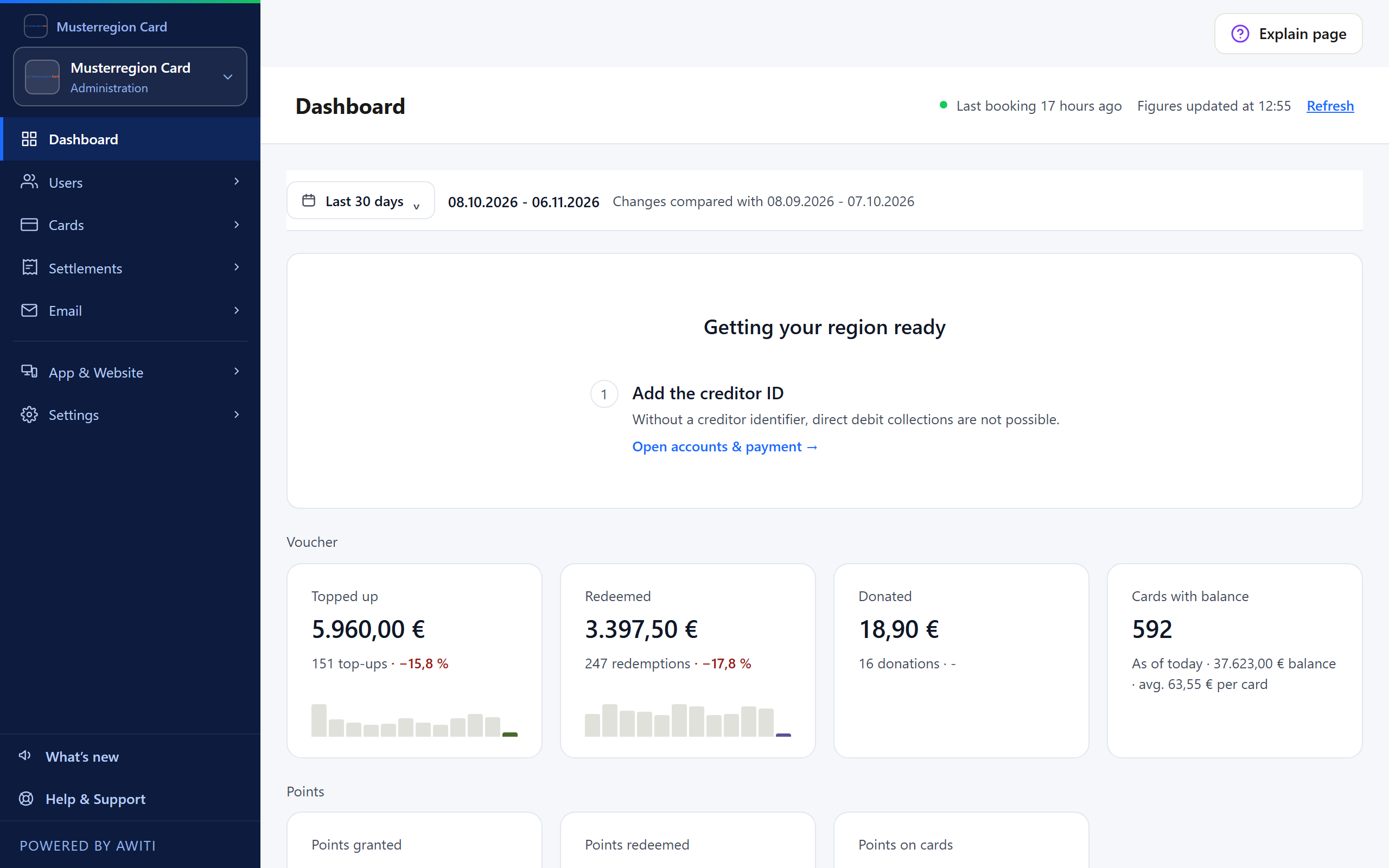
Network admin: the network manages merchants, vouchers, and fees. Shown with sample data. Shown with sample data 1 · For the network
In the network admin, the network manages its system: merchants, vouchers, and fees. It starts the billing run there; invoices and credit notes are created from the transactions.
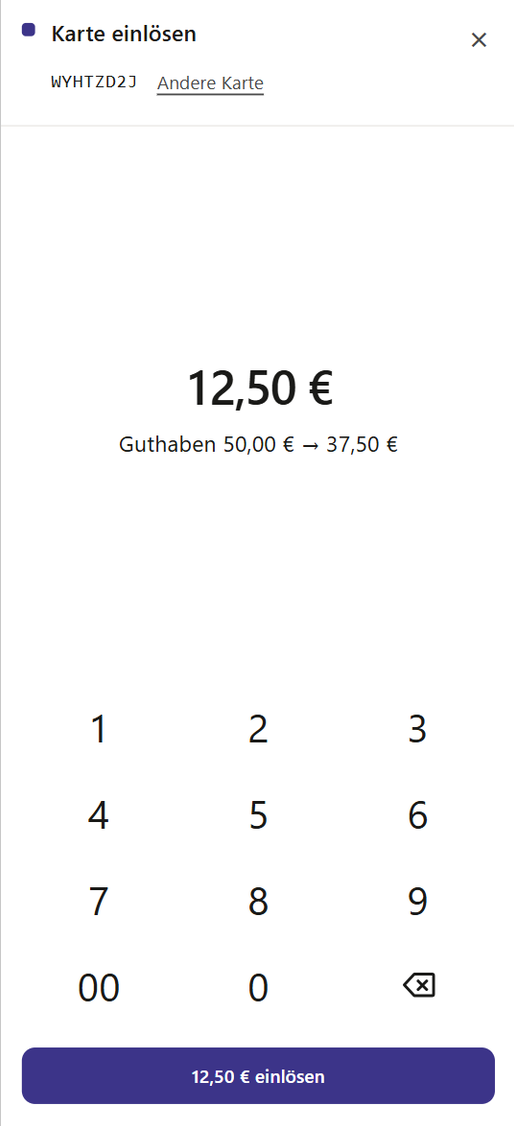
Checkout screen in the Partner Portal on a smartphone. Shown with sample data. Shown with sample data 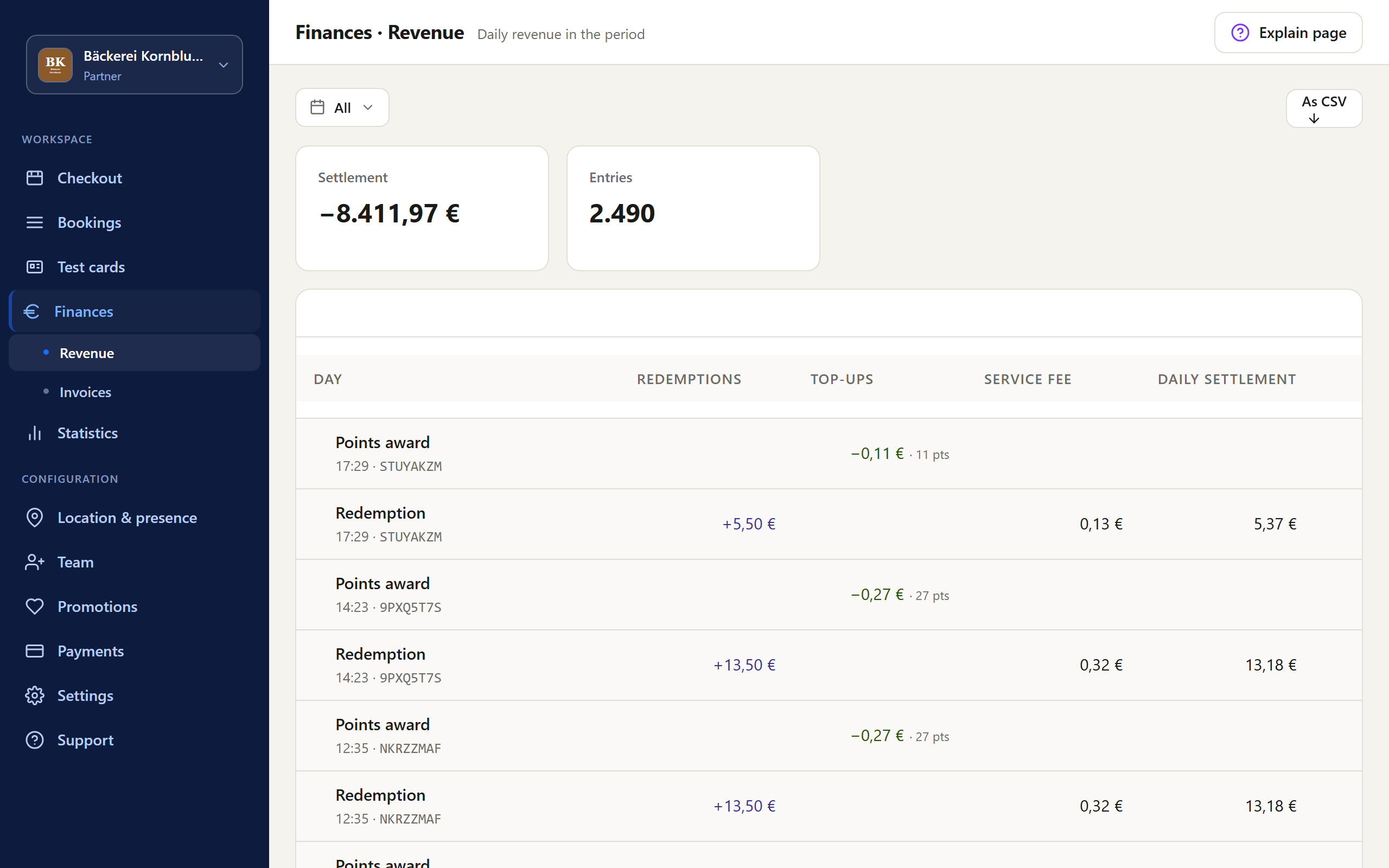
Partner Portal: a merchant's sales. Shown with sample data. Shown with sample data 2 · For merchants
Merchants accept the voucher in the browser, with the checkout screen in the Partner Portal, on a smartphone, tablet, or PC. In the same portal, they see their sales and invoices.
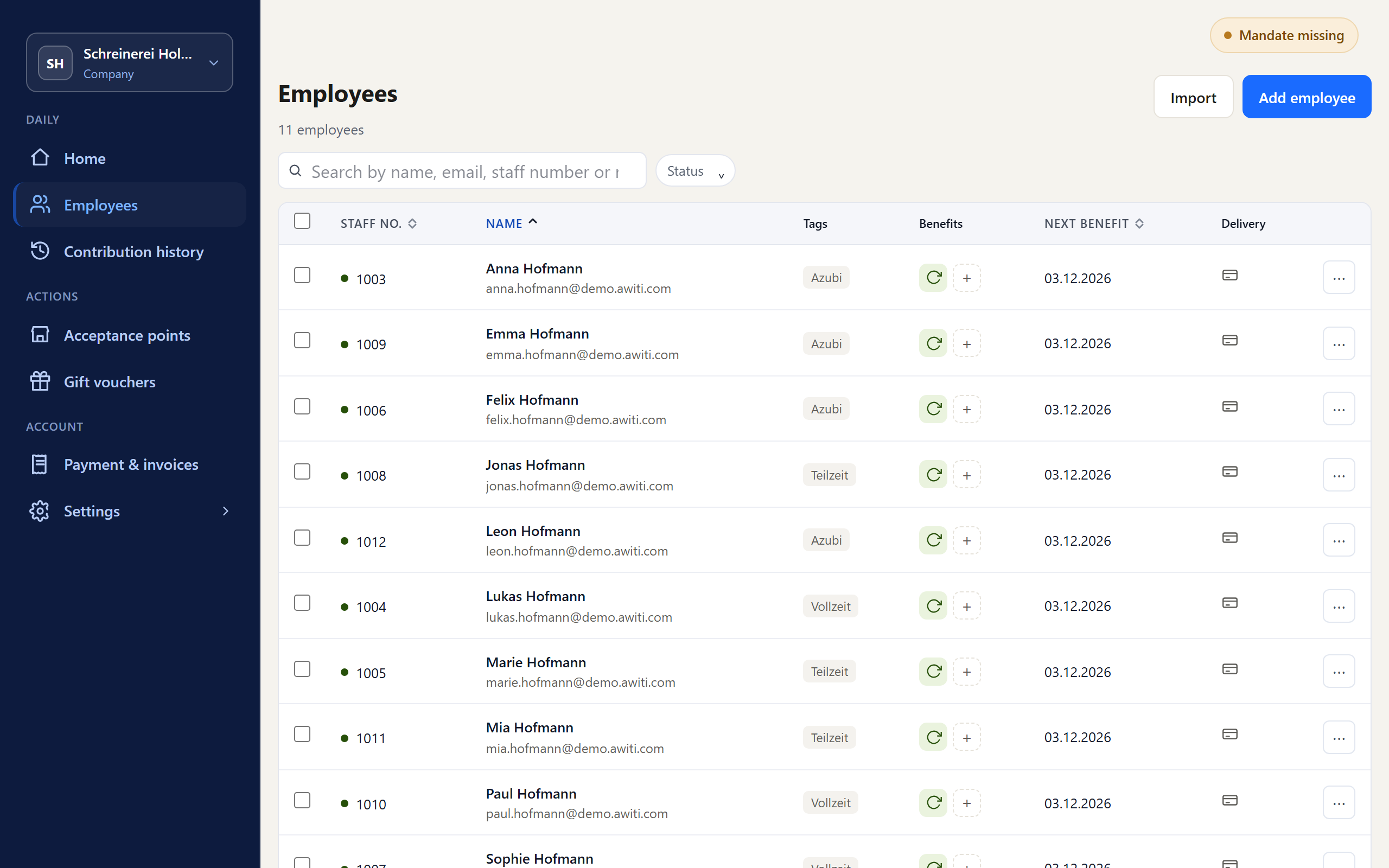
Company Portal: an employer's employees. Shown with sample data. Shown with sample data 3 · For employers
In the Company Portal, employers add their employees or import them. They assign benefit payments as one-time or recurring.
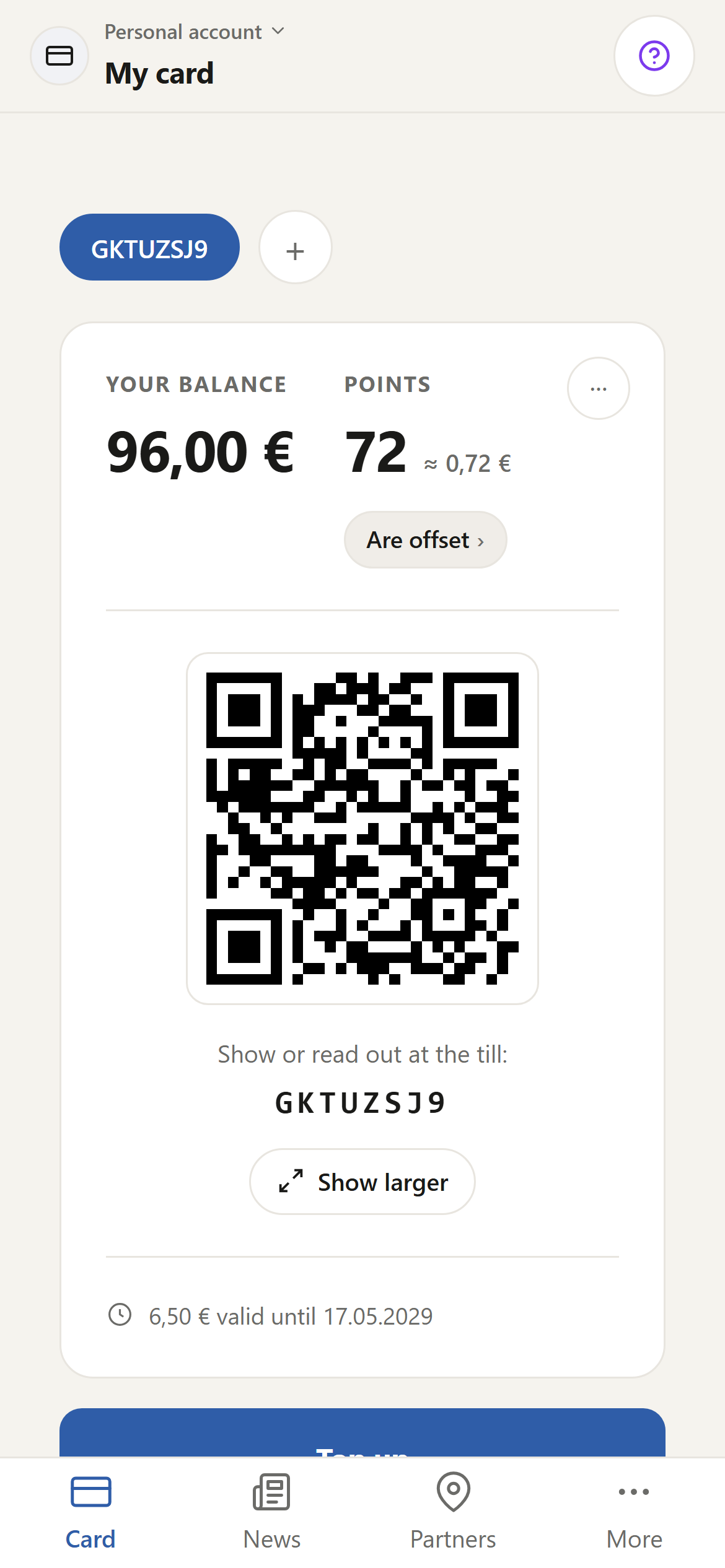
Customer Portal: balance and points on a card. Shown with sample data. Shown with sample data 4 · For residents
In the Customer Portal, residents see the balance and points on their card, the code to show at checkout, the participating businesses on a map, and their network's promotions. They give credit as a gift by email or PDF and choose whether their points are redeemed or donated to a local club.
Role, portal, task
The table shows who works with what in Awiti Flow and what happens there.
The portals distribute the work to those it concerns. The employer maintains its employees itself. The merchant views its sales and invoices itself. What stays with the network is what only the network can decide: which merchants take part and which fees apply. Plus the billing run.
The network decides per business which features that business sees on the checkout screen.
Local clubs take part as donation partners: residents donate the points they have collected to them.
| Role | Portal | What you do there |
|---|---|---|
| Network | Network admin | Manage and approve merchants. Set fees separately by type of business, with exceptions for individual businesses. Enter accounts. Generate card batches. Start the billing run. |
| Merchant | Partner Portal | On the checkout screen in the browser, redeem vouchers, load cards, check balances, award and redeem points. View sales and invoices. |
| Employer | Company Portal | Add or import employees. Assign one-time and recurring benefit payments. |
| Resident | Customer Portal | See the balance and points on your own card. Give credit as a gift. Choose whether points are redeemed or donated to a local club. |
Related
Your voucher, your name, your rules.
We provide the system that does the work.